Sending Notifications to Microsoft Teams
Since QuickBuild 15.0.x, you can send build notifications to Microsoft Teams channel via Teams webhook workflow. Below steps will show you how to configure the integration:
Create webhooks with Workflows for Microsoft Teams
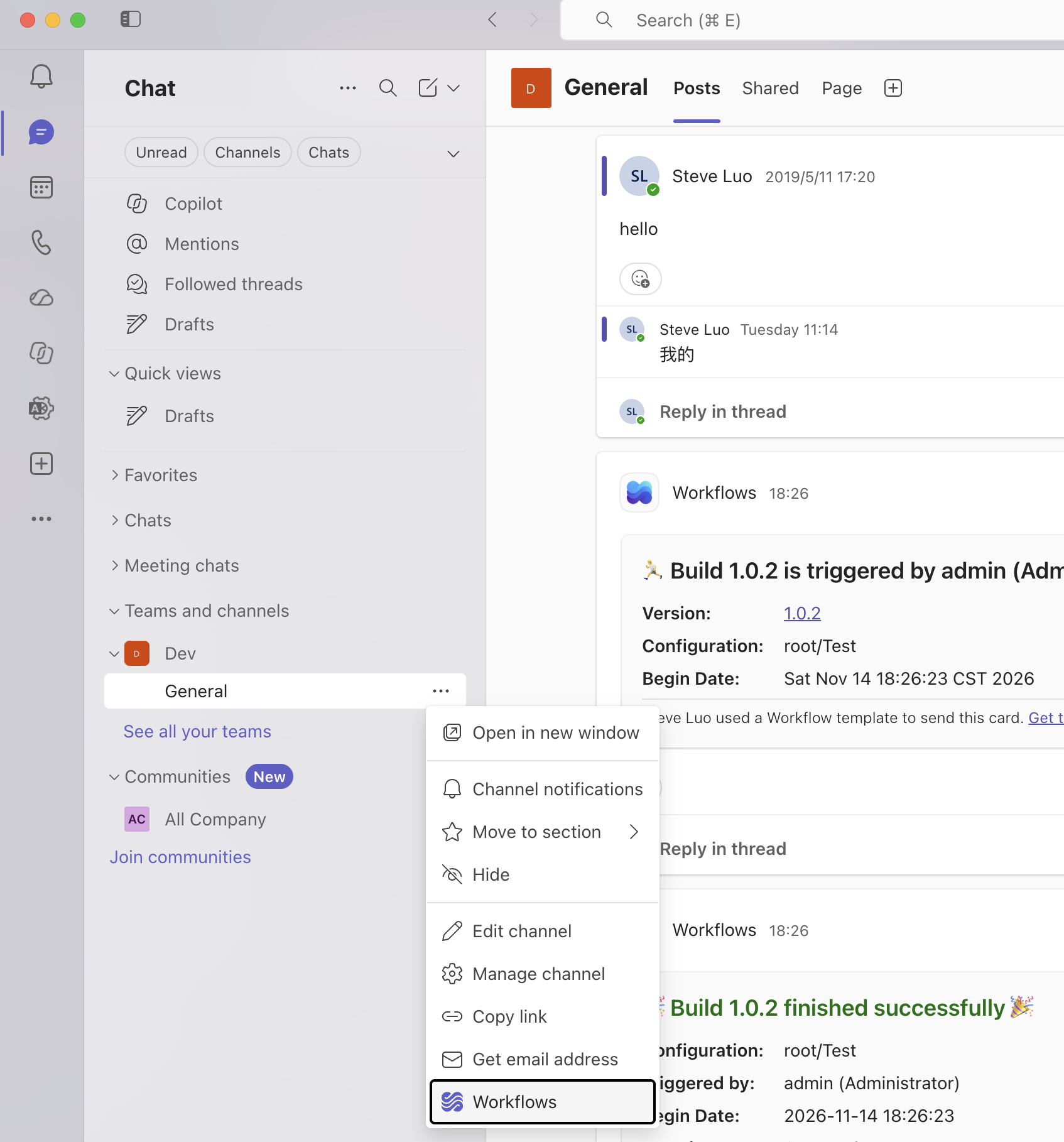
- In Microsoft Teams App, go to the team and channel where you want to send notifications
- Select More options
 next to the channel or chat you want to create a workflow for
- Select Workflows
 .
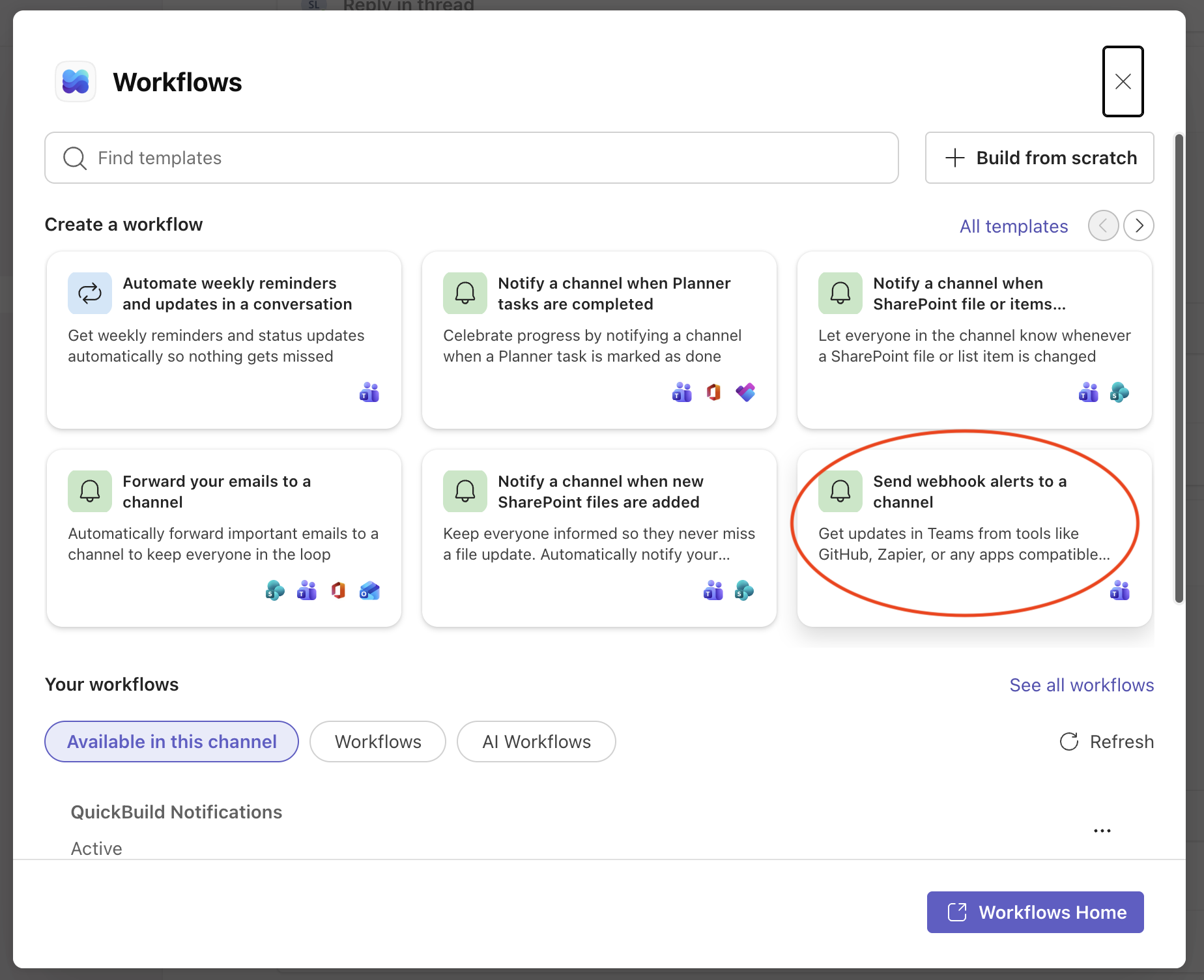
- Search or select the template Send webhook alerts to a channel
- Input the name of your workflow:
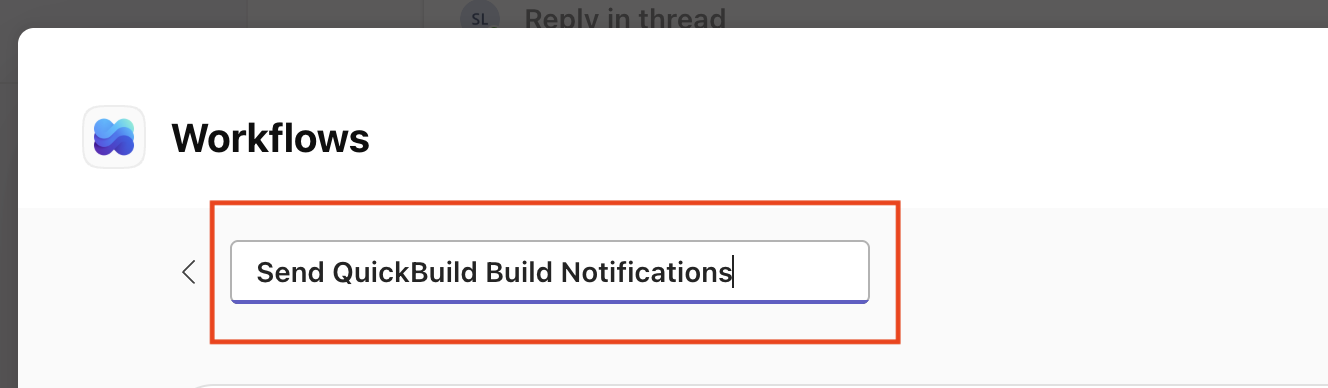
- Click Save
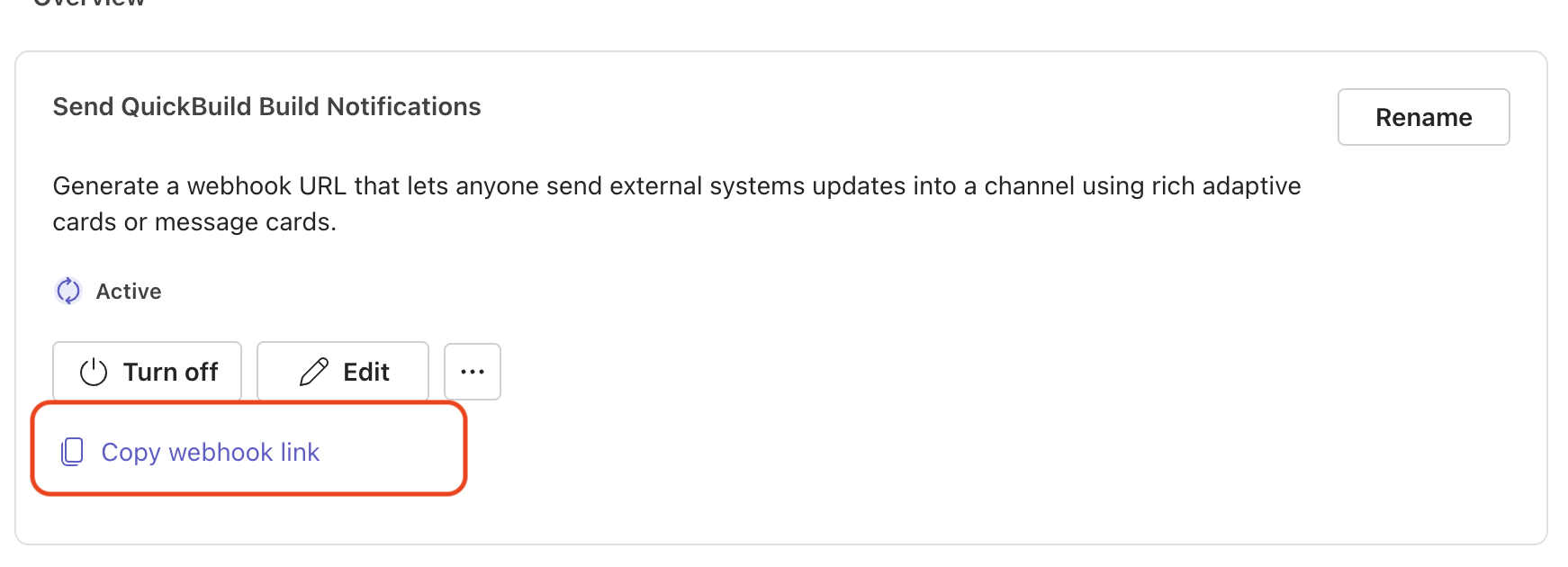
- After the webhook is created successfully, copy the webhook link for later use in QuickBuild
Set up webhooks in QuickBuild
Now, back to QuickBuild, navigate to the configuration which you want to send build notifications to, then in configuration settings, choose Webhook -> Microsoft Teams:

paste the URL you copied from Microsoft Teams before:

That is it. You can test to see if you can receive the build notifications when the build is triggered


Customize Notification Message
If you want to use default message, you just need set the message to DEFAULT, and if you don't want to send message for the specific build event, you can just leave empty for that field. You can also customize the notification message by following the Teams message format.
The custom notification message should use Adaptive Card. Below is the default Adaptive Card message for build started event:
Adaptive card is in JSON format.
{
 "type": "message",
 "attachments": [
  {
   "contentType": "application/vnd.microsoft.card.adaptive",
   "content": {
    "$schema": "http://adaptivecards.io/schemas/adaptive-card.json",
    "type": "AdaptiveCard",
    "version": "1.5",
    "msteams": {
     "width": "full"
    },
    "body": [
     {
      "type": "Container",
      "items": [
       {
        "type": "TextBlock",
        "text": "${title}",
        "weight": "bolder",
        "size": "large",
        "wrap": true,
        "style": "heading"
       },
       {
        "type": "FactSet",
        "facts": [
         {
          "title": "Version:",
          "value": "[${build.version}](${hostUrl}/build/${build.id})"
         },
         {
          "title": "Configuration:",
          "value": "${configuration.pathName}"
         },
         {
          "title": "Begin Date:",
          "value": "${build.beginDate}"
         }
        ]
       }
      ]
     }
    ]
   }
  }
 ]
}
Just like other scriptable fields in QuickBuild, you can use script in the cards message.