Tray Monitor
The tray monitor is an addon for QuickBuild to enable user monitoring build, triggering build, and receiving build notifications from desktop without opening the web browser.
- Windows 10 or higher
- Linux with Gtk support
- Mac OS X
Download and run tray monitor
Tray monitor can be downloaded from GitHub.
If the tray monitor is running successfully, you will see a tray icon is displayed in your system tray. Below is an example screen shot in Mac:

Trouble shooting on Mac
As we don't sign the app, you need run below commands before run the app, otherwise, the app are not able to start successfully:
cd /Applications
xattr -rd com.apple.provenance QuickBuild\ Tray\ Monitor.app
xattr -rd com.apple.quarantine QuickBuild\\ Tray\\ Monitor.app
Use the tray monitor
To tell tray monitor which build events you are interested, please open My Setting page in QuickBuild and add subscriptions with Notify Through field defined as Tray Monitor & IDE Plugins. Below screen tells tray monitor to receive all build events for all configurations in the system:

Everytime a build finishes, you will see a popup message from tray monitor like below:
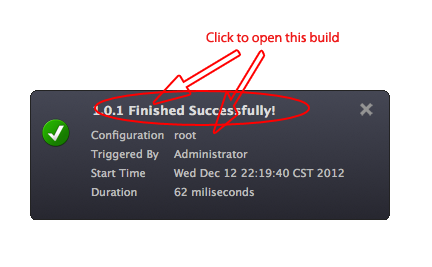
 There will be a latency between build finishing and message poping up. The latency depends on how frequent tray monitor is set to check build events, and can be controlled by parameter refresh interval in its preference setting.
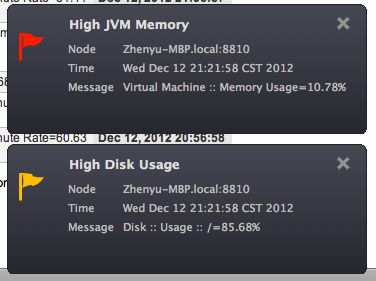
If you also subscribed the system alerts, then when there are alerts occurred, a notification window will also popup like below:
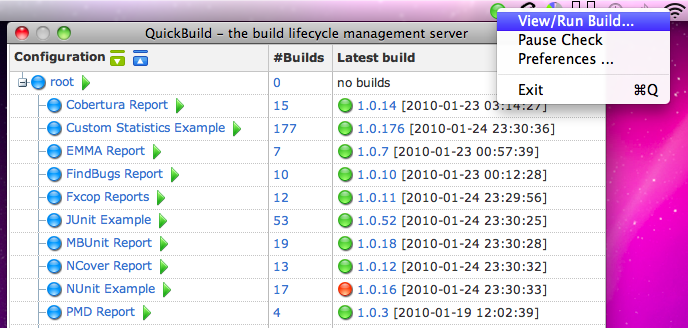
The menu item View/Run Build... brings out an auto-refreshing lite dashboard of QuickBuild. Auto-refresh frequency is controlled by parameter refresh interval in the preference setting.
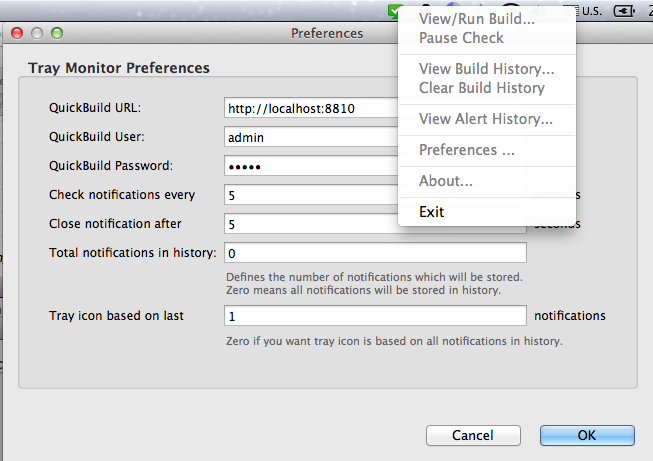
The menu item Preference Setting includes settings such as QuickBuild server url, login user and password, refresh interval, and message display time.
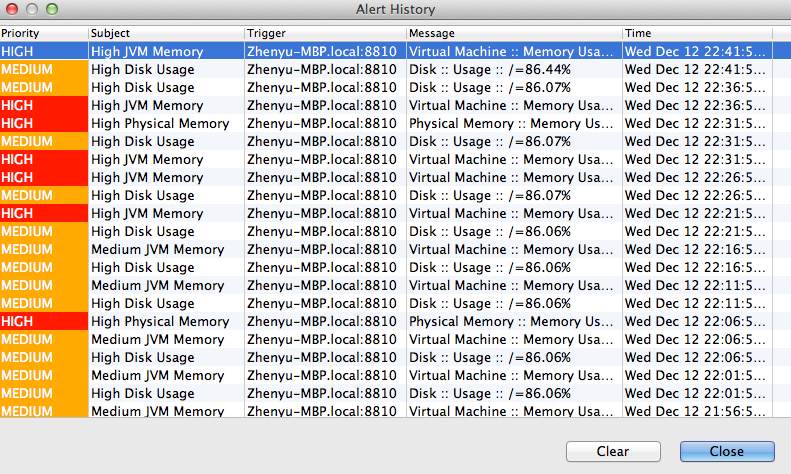
Also, if you subscribed the system alerts, you can view those latest alert history: