|
QuickBuild2 Documentation
|
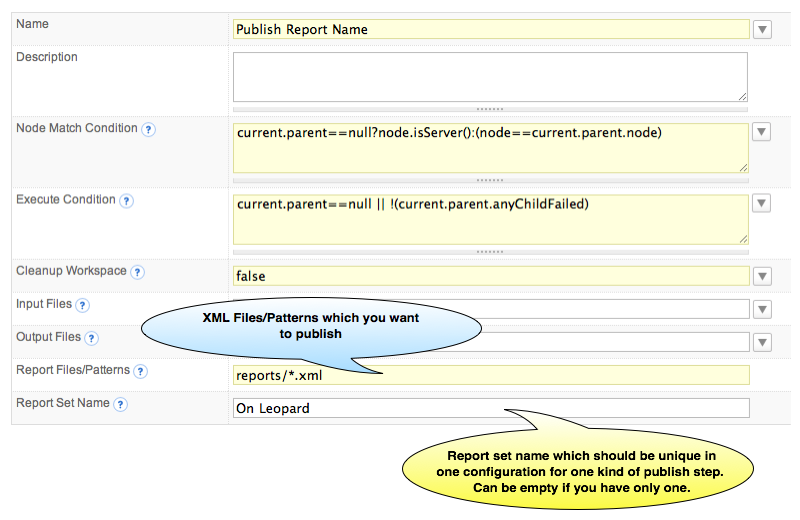
MbUnit Generate MBUnit ReportsThe following code snippet is an example from MBUnit <project default="tests"> <target name="tests"> <mbunit report-types="xml" report-filename-format="myreport{0}{1}" report-output-directory="." halt-on-failure="true"> <assemblies> <include name="FizzBuzzTests.dll" /> </assemblies> </mbunit> </target> </project> More detailed information please refer to the documentation of MBUnit Add MBUnit Report Publish StepMBUnit report publish step can be added by choosing Publish -> MBUnit Report from step menu. When you add publish NUnit Report step, the following screen will be displayed:
In source report files field, QuickBuild uses an enhanced Ant style file patterns to collect the reports, and the directory you specified is relative to the workspace directory. QuickBuild will analyze the MBUnit report and will generate the Overview/Details after each build, and it will also collect the statistics data from the reports automatically so that you can track the tests trends in the statistics tab. |